



Browse all articles
Where to find transcripts, recordings and summaries
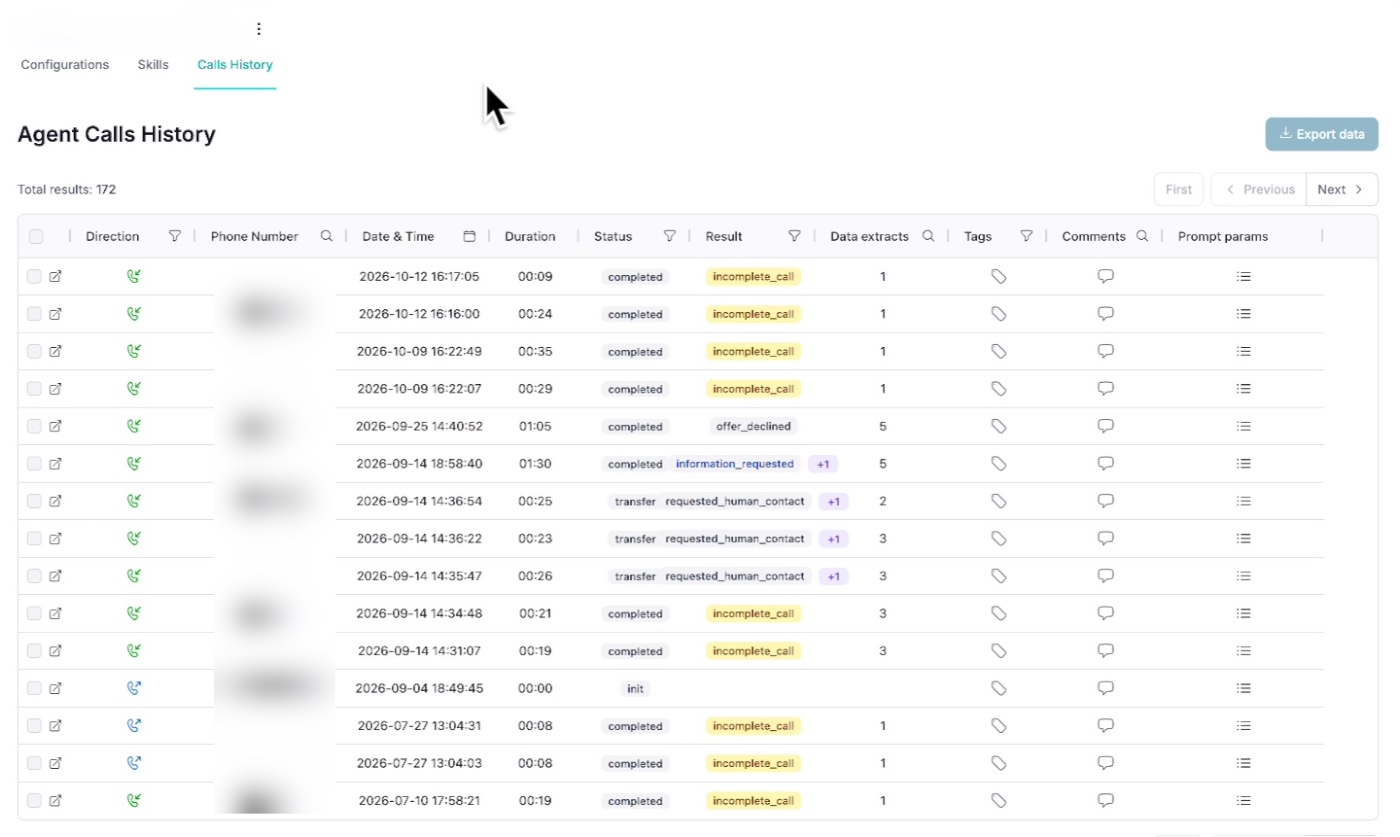
Find any call in Agent Calls History and see its transcript, recording, summary, tags and comments.
Last updated:
The Agent Calls History view lets you dig into every interaction handled by your AI agents. You can filter by date, result or tags to quickly find the conversations you need. This is useful for:
- Reviewing performance for individual agents or campaigns.
- Spotting patterns in call results (for example, high
incomplete_callrates). - Ensuring compliance and quality standards are being met.
Click on an individual call to see more information: the date and duration, status, result, summary, extracted data, tags, comments and the full transcript.
What is stored for each call?
- Transcripts: generated and stored indefinitely in Kollie, accessible via the individual call logs or through email, SMS or WhatsApp notifications.
- Audio call recordings: provided by Vonage and stored for 30 days; requests for access must be made within this period.
- Summaries: automatically generated in the agent's output language for quick reference.
- Quick summaries: short, auto-assigned labels that summarize outcomes (for example,
meeting_scheduled,not_interested) to make filtering faster. - Tags (user-defined): add custom tags for lead status, urgency or intent to organize calls by your own business logic.
- Comments (user-defined): attach notes, handover context or follow-up instructions for better collaboration between team members.
Transcript missing? See I can't find a call transcript.
Related articles
- Which languages can my agent speak?Which languages Kollie AI agents speak, whether they can switch language during a call, and what to do when an agent doesn't understand callers.
- Can my agent use a custom or cloned voice?Shape how your AI agent sounds, including voice cloning for Enterprise plans.
- How billing and call minutes workHow Kollie's plans work, how calls are billed, and what happens when you use up your included minutes.
Still need help?
Can't find the answer you're looking for? Send us a ticket and our support team will help you set up and improve your agents.
Submit a support ticket